使用场景
开发一个功能时,很容易留下很多临时 commit:修一个 typo、补一个测试、回滚一次实验、再改一次命名。它们对本地开发有用,但如果直接进入主分支,提交历史会变得很碎。
git rebase -i 适合在提交前整理这些本地 commit。它可以把多个连续 commit 合并成一个,也可以停在某个历史 commit 上,让你修改内容或提交信息。
rebase 会重写提交历史。不要随意对已经推送到远程仓库、并且可能被其他人基于其继续开发的 commit 做 rebase。更推荐的使用场景是在本地分支、个人 feature branch 或提交 PR 前整理历史。
如果确实需要推送重写后的历史,优先使用 git push --force-with-lease。
它比 git push --force 更安全:如果远程分支已经出现了你本地不知道的新提交,推送会失败。
git rebase -i 常用命令:
Commands
p, pick = use commitr, reword = use commit, but edit the commit messagee, edit = use commit, but stop for amendings, squash = use commit, but meld into previous commitf, fixup = like "squash", but discard this commit's log messagex, exec = run command (the rest of the line) using shelld, drop = remove commit
合并多个 commit
如果想合并最近的三个 commit,可以运行:
git rebase -i HEAD~3
HEAD~3 表示从当前提交往前数三个提交。命令执行后,Git 会打开 core.editor 指定的编辑器,并列出这三个 commit。
也可以指定某个 commit hash:
git rebase -i 8c0a3c
这会列出 8c0a3c 之后到 HEAD 之间的所有 commit。
git rebase -i 适合整理连续 commit。如果要处理不连续的 commit,通常需要多次 rebase,或者先使用更明确的分支整理策略。
编辑器可以通过 core.editor 设置。例如:
git config --global core.editor "nvim"
在编辑器中,将第二行和第三行的 pick 改为 squash 或 s,然后保存并退出。Git 会再次打开编辑器,让你编辑合并后的 commit message。
如果使用 Vim,可以用下面的替换命令把第 2 到第 3 行的 pick 改成 s::2,3s/pick/s/
其中 2,3 表示行范围,s/pick/s/ 表示把 pick 替换为 s。

编辑 commit 信息,然后保存并关闭编辑器。如果一切顺利,你的三个 commit 现在应该已经被合并成一个了。
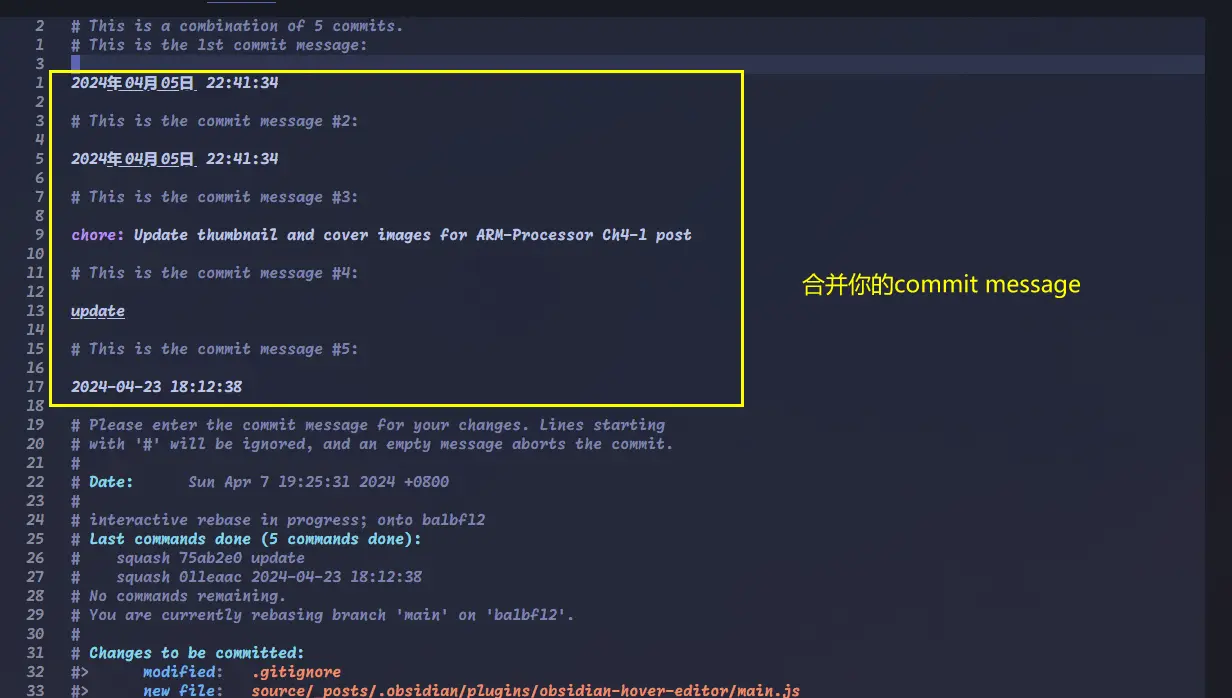
这一步会改变 Git 历史。如果这些 commit 已经推送到远程仓库,需要使用 git push --force-with-lease 推送重写后的分支。
修改 commit
如果历史上的某个 commit 内容有误,也可以用 rebase -i 停在那个 commit,然后修改文件并 commit --amend。
假设当前提交历史如下,to fix 这个提交中有一处错误:1 == 2。* 7f3af51 (HEAD -> main) 4th* a14992f to fix* b16a285 second_amend* c6bb6ae first
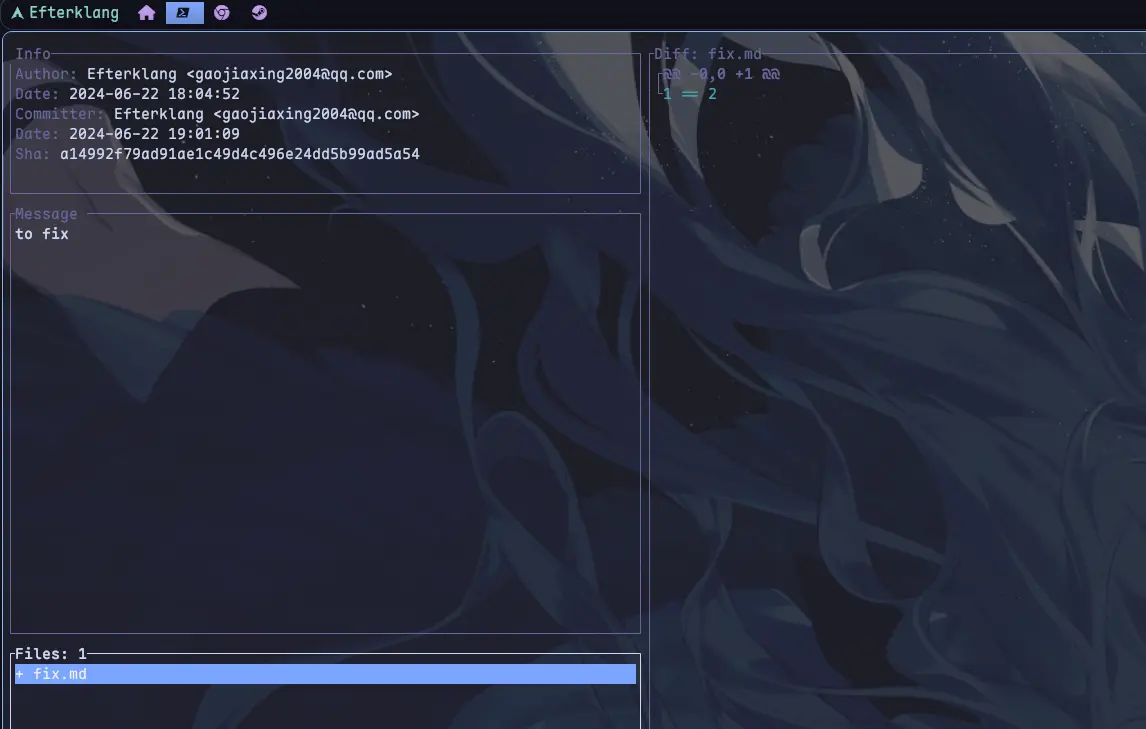
因为要修改最近两个 commit 中较早的那个,可以运行:$ git rebase -i HEAD~2[.git/COMMIT_EDITMSG]- pick a14992f to fix+ edit a14992f to fixpick 7f3af51 4th保存退出
Git 会停在 to fix 这个 commit。此时修改文件、暂存变更,然后用 git commit --amend 更新当前 commit。$ vim ./fix.md- 1 == 2+ 1 != 2保存退出$ git add ./fix.md$ git commit --amend[.git/COMMIT_EDITMSG]- to fix+ fixed保存退出$ git rebase --continue
git rebase --continue 会让 Git 继续应用后续 commit。完成后,提交历史如下:* dc6de4f (HEAD -> main) 4th* a33b9a0 fixed* b16a285 second_amend* c6bb6ae first
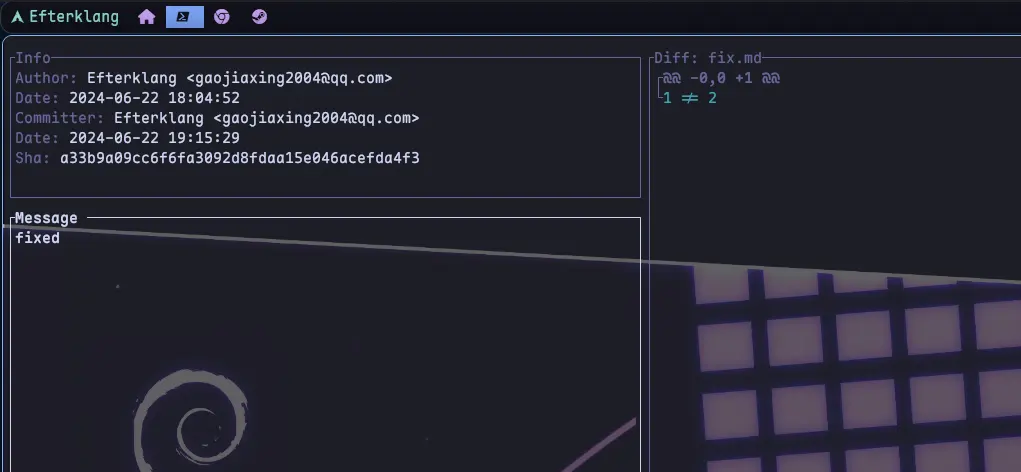
可以看到,to fix 被改成了 fixed,后面的 4th 也生成了新的 commit hash。这正是 rebase 的特点:它不是原地修改历史,而是重新生成一段提交历史。
新命令:git history
Git 2.54.0 新增了一个实验性命令:git history。它同样用于重写提交历史,但定位和 git rebase -i 不完全一样。
git rebase -i 更像一个通用编辑器:你先选定一段连续历史,然后在 todo list 里决定每个 commit 是 pick、squash、edit 还是 drop。它适合批量整理一段 commit。
git history 更像一个面向具体任务的高层命令。目前它主要提供两个子命令:
git history reword <commit>
git history split <commit>
reword 用于修改某个指定 commit 的提交信息:
git history reword a14992f
它会打开编辑器,让你修改该 commit 的 message。这个场景过去也可以通过 git rebase -i 加 reword 完成,但 git history reword <commit> 更直接。
split 用于把一个 commit 拆成两个 commit:
git history split a14992f
Git 会交互式地让你选择哪些 hunk 应该被拆到新的 commit 中。这个操作以前通常要靠 git rebase -i、edit、git reset、重新 add -p 和多次 commit 配合完成,步骤更长,也更容易出错。
它和 git rebase -i 有几个重要区别:
git history当前仍是实验性命令,行为未来可能变化。git history默认会更新所有指向原 commit 后代的本地分支;也可以通过--update-refs=head限制为只更新当前HEAD。git history目前不执行 Git hooks。git history暂时不支持包含 merge commit 的历史,也不支持可能产生冲突的操作。- 如果要把一段 commit reapply 到另一个 base,或者一次性编辑多个 commit,仍然应该使用
git rebase。
所以可以把它理解成:git rebase -i 是通用工具,git history 是 Git 新增的、更 opinionated 的历史修改入口。等它稳定之后,修改单个 commit message 或拆分单个 commit 这类任务,可能会更适合用 git history。